
Import & Export
Save your entire Nitrol PRO configuration as a JSON file and restore it on any site in seconds. Import/Export is ideal for site migrations, agency setups, and keeping a backup before experimenting with new settings.
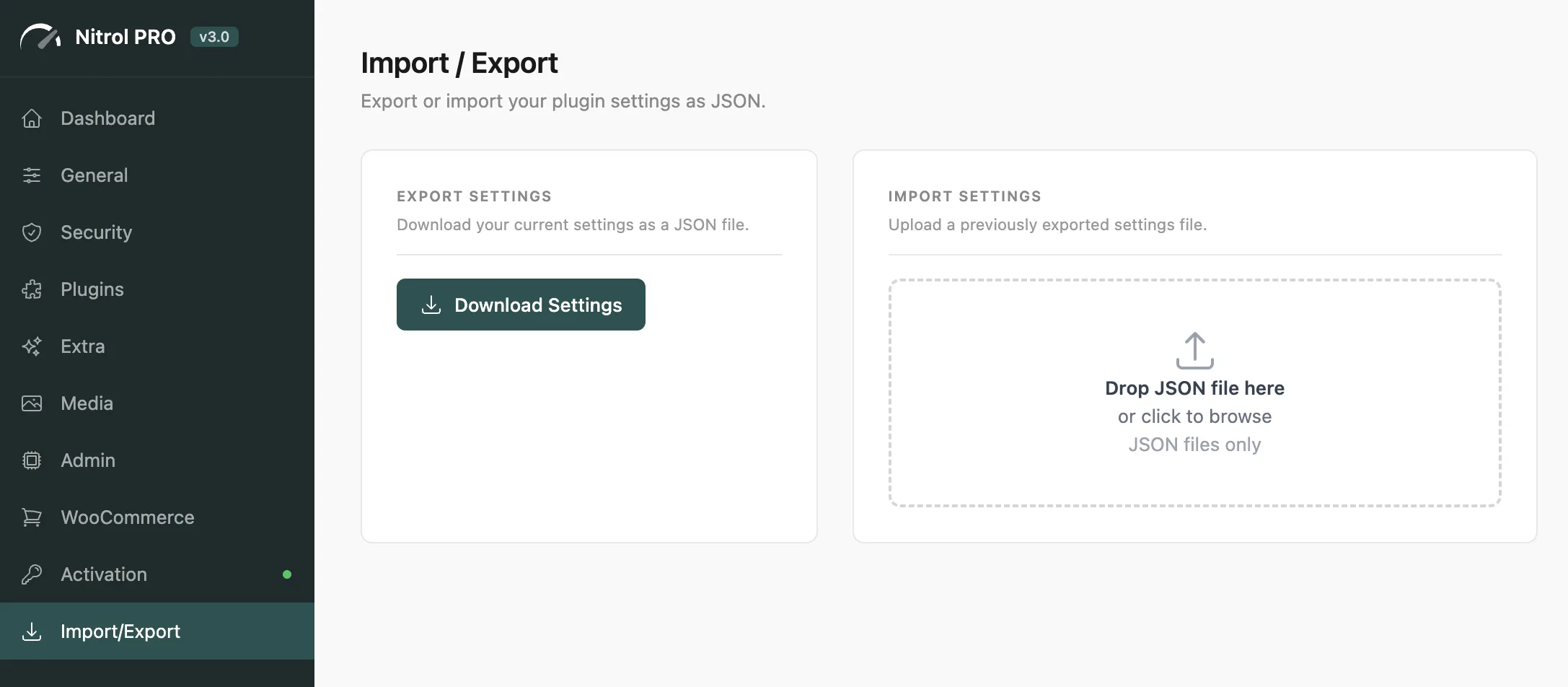
#Exporting Your Settings
Go to Import/Export in the sidebar
Click Export Settings
A
.jsonfile downloads with all your current settings
The exported file contains only your active configuration - no sensitive data, no license information, no site-specific options.
#Importing Settings
Click the upload area or drag a
.jsonfile into itSettings are validated and applied immediately
A confirmation notification appears when the import is complete
Only recognized settings keys are imported. Unknown keys are silently ignored - you can safely import a file from a different Nitrol PRO version without breaking anything.
#Common Use Cases
Site migration - export from staging, import on production to replicate your optimization setup exactly
Multi-site setup - configure one site, then distribute the same settings file to all your other installs
Safe experimentation - export your current settings before trying new combinations, so you can easily restore if something doesn't work out
Team handoff - share a standard settings file with your team so everyone starts from the same baseline
Get into the habit of exporting your settings before major WordPress updates or plugin changes. It takes two seconds and gives you a quick restore point if anything goes wrong.
Last updated
Was this article helpful?

On this page
