
General
Core WordPress performance and cleanup settings. Most of these remove scripts, styles, or features that WordPress loads on every page - many of which your site probably doesn't need.
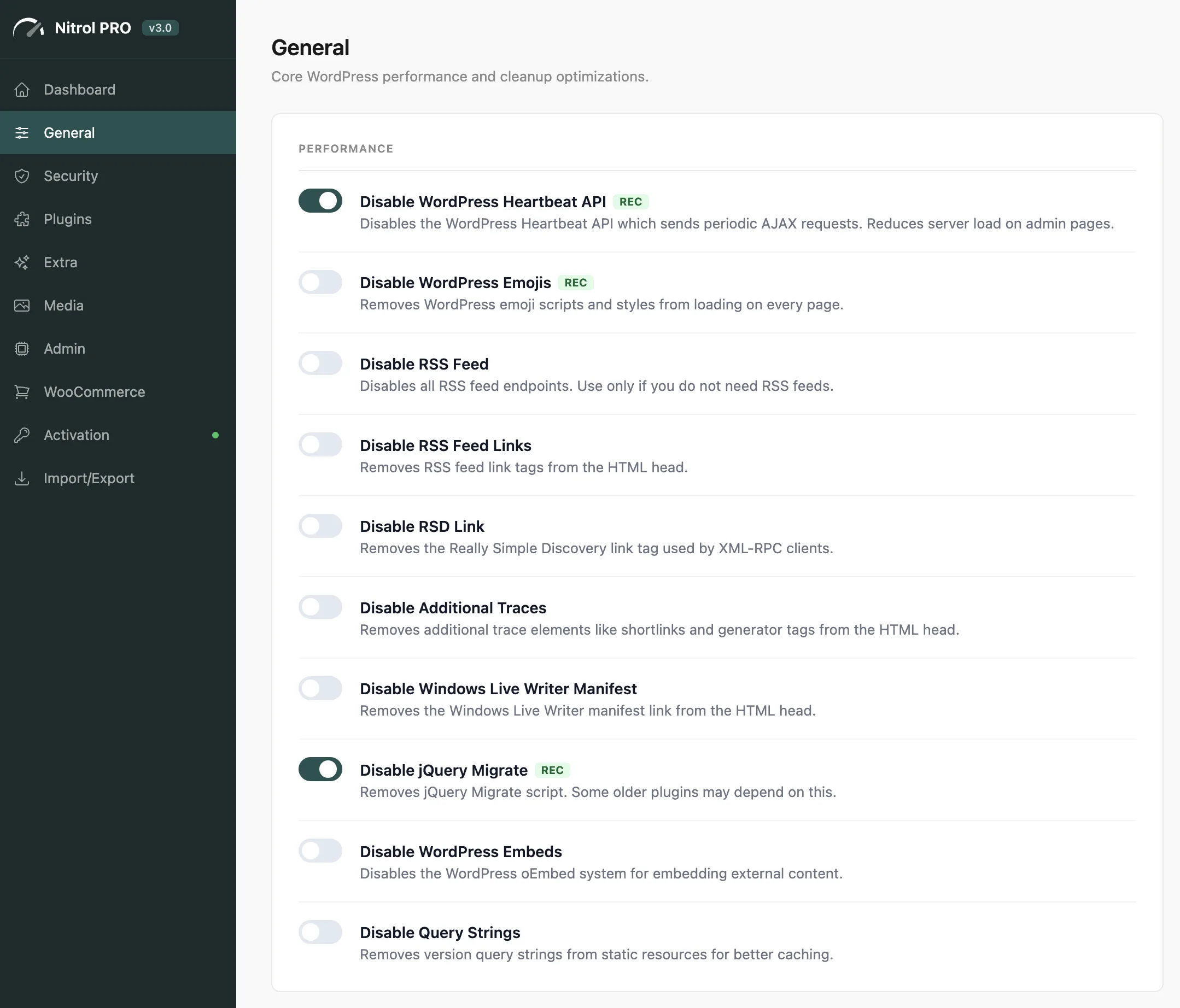
Start with the "Recommended" settings marked below - they're safe for nearly every site and give you immediate performance gains without any risk.
#WordPress Cleanup
Setting | What it does | Rec |
|---|---|---|
Disable Heartbeat API | Stops periodic AJAX requests that increase server load on every open admin tab | Yes |
Disable WordPress Emojis | Removes the emoji scripts and inline styles added to every page | Yes |
Disable RSS Feed | Removes all RSS feed endpoints (only disable if you don't use RSS) | - |
Disable RSS Feed Links | Removes RSS | - |
Disable RSD Link | Removes the Really Simple Discovery link (used by old blogging clients) | - |
Disable Additional Traces | Removes shortlinks and WordPress generator tags from source | - |
Disable WLM Link | Removes the Windows Live Writer manifest link | - |
Disable jQuery Migrate | Removes the jQuery backward-compatibility shim (safe if your theme/plugins are up to date) | Yes |
Disable oEmbed | Stops auto-embedding of external URLs as iframes | - |
Disable Query Strings | Removes | - |
Disable Self-Pingbacks | Prevents WordPress from pinging itself when you link to your own posts | - |
Disabling jQuery Migrate is safe for modern themes and plugins. If something breaks after enabling it, a plugin likely depends on deprecated jQuery features - disable this setting and update that plugin.
#Frontend Assets
Remove CSS/JS files that many sites don't use:
Setting | What it does | Rec |
|---|---|---|
Disable Dashicons on Frontend | Removes Dashicons CSS for logged-out visitors | Yes |
Disable Block Library CSS | Removes Gutenberg block styles (safe if you use a page builder or classic theme) | Yes |
Disable Global Styles | Removes the inline CSS block WordPress 5.9+ adds to every page | - |
Disable Classic Theme Styles | Removes classic theme compatibility CSS added by WordPress | - |
Remove Type Attributes | Strips | - |
Disable Dashicons on Frontend saves an extra HTTP request for every logged-out visitor. It one of the easiest wins available - enable it unless your theme relies on Dashicon classes in its frontend styles.
#Widgets & Revisions
- Disable Default Widgets - choose which core widgets to unregister from the widget list
- Limit Post Revisions - disable revisions entirely or cap them at 1-25 per post. Revisions accumulate quickly and bloat your database.
- Autosave Interval - change the autosave frequency (60s, 2 min, 5 min) or turn it off completely
Limiting post revisions to 5-10 is a good balance - enough history to recover from mistakes, without filling your database. Use 0 to disable revisions entirely on high-traffic sites with many editors.
Last updated
Was this article helpful?

On this page
