
WooCommerce
Optimize WooCommerce performance and fine-tune store behavior. All settings on this page require WooCommerce to be active - if it's not installed, this section will be unavailable.
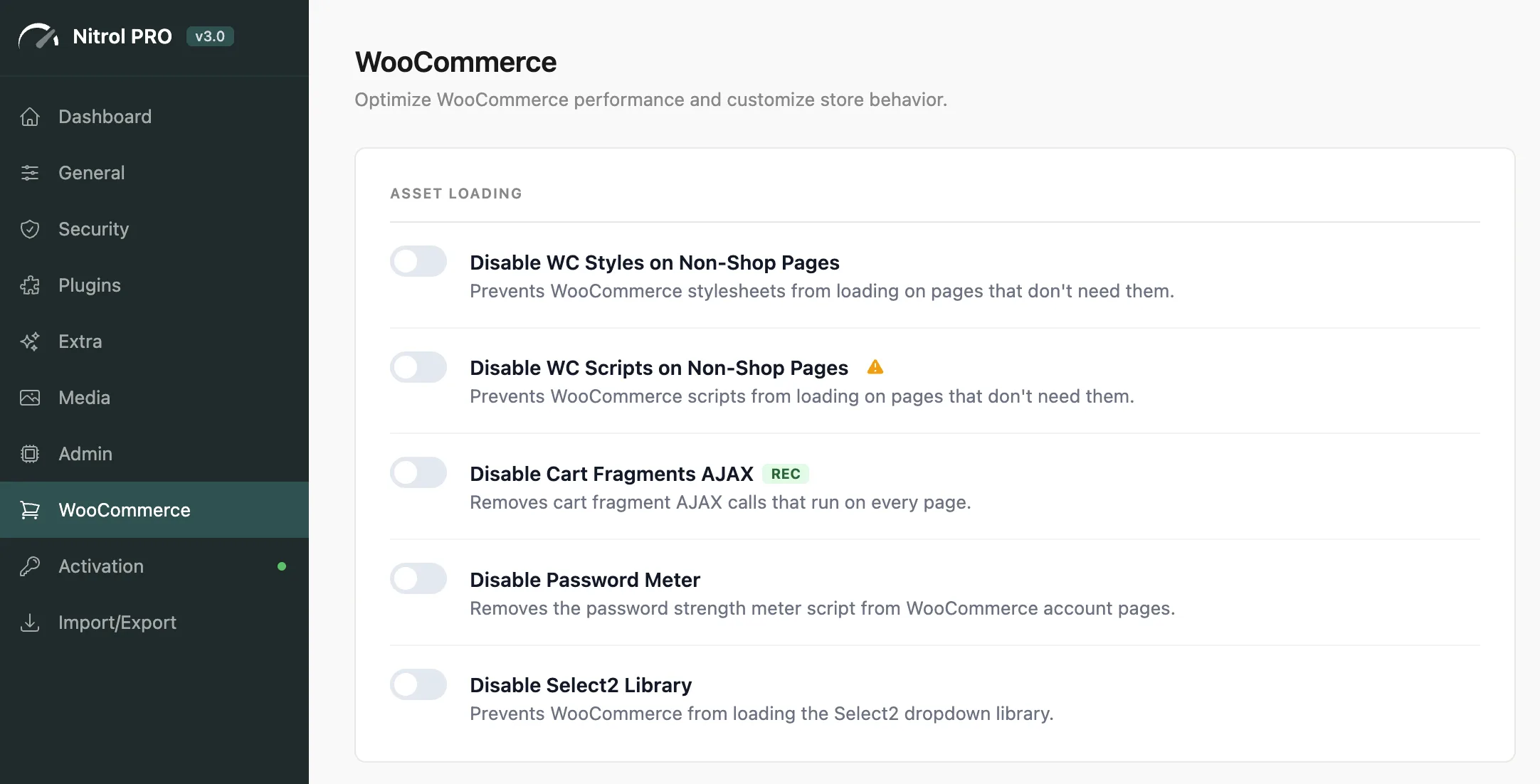
#Asset Loading
WooCommerce loads CSS and JavaScript on every page by default, even your blog posts and About page. These settings let you limit that:
Setting | What it does | Rec |
|---|---|---|
Disable WC Styles on Non-Shop Pages | Removes WooCommerce CSS from blog posts, static pages, etc. | - |
Disable WC Scripts on Non-Shop Pages | Removes WooCommerce JS from non-shop pages | - |
Disable Cart Fragments AJAX | Stops the AJAX call that updates the cart widget count on every page load | Yes |
Disable Password Meter | Removes the password strength meter script from checkout/registration | - |
Disable Select2 Library | Removes the Select2 dropdown library if you don't use it | - |
Disable Cart Fragments AJAX is one of the biggest single performance wins for WooCommerce stores. This AJAX call fires on every page load - even pages with no cart widget. Disabling it can noticeably reduce Time to First Byte on cached pages. Note: the cart widget count won't update dynamically without a page reload.
Before disabling WC Styles and Scripts on non-shop pages, test your checkout flow and any shop-related shortcodes that might appear on regular pages.
#Product Pages
Setting | What it does |
|---|---|
Disable Product Reviews | Removes the Reviews tab from all product pages |
Disable Product Tabs | Choose which tabs to remove: Description, Additional Information, or Reviews |
#Cart & Checkout
Setting | What it does |
|---|---|
Redirect to Checkout After Add | Sends customers directly to checkout instead of staying on the product page |
Custom Add to Cart Text | Replace the default "Add to cart" button text with your own (e.g., "Buy Now", "Get It") |
Hide Category Product Count | Removes the product count shown next to category names in listings |
Redirect to Checkout After Add works well for stores selling single products or digital downloads where customers rarely buy multiple items at once. For stores with large catalogs, keep the default behavior so customers can continue browsing.
Last updated
Was this article helpful?

On this page
