
Extra
Miscellaneous utilities and quality-of-life improvements that don't fit neatly into other categories - but are often surprisingly useful.
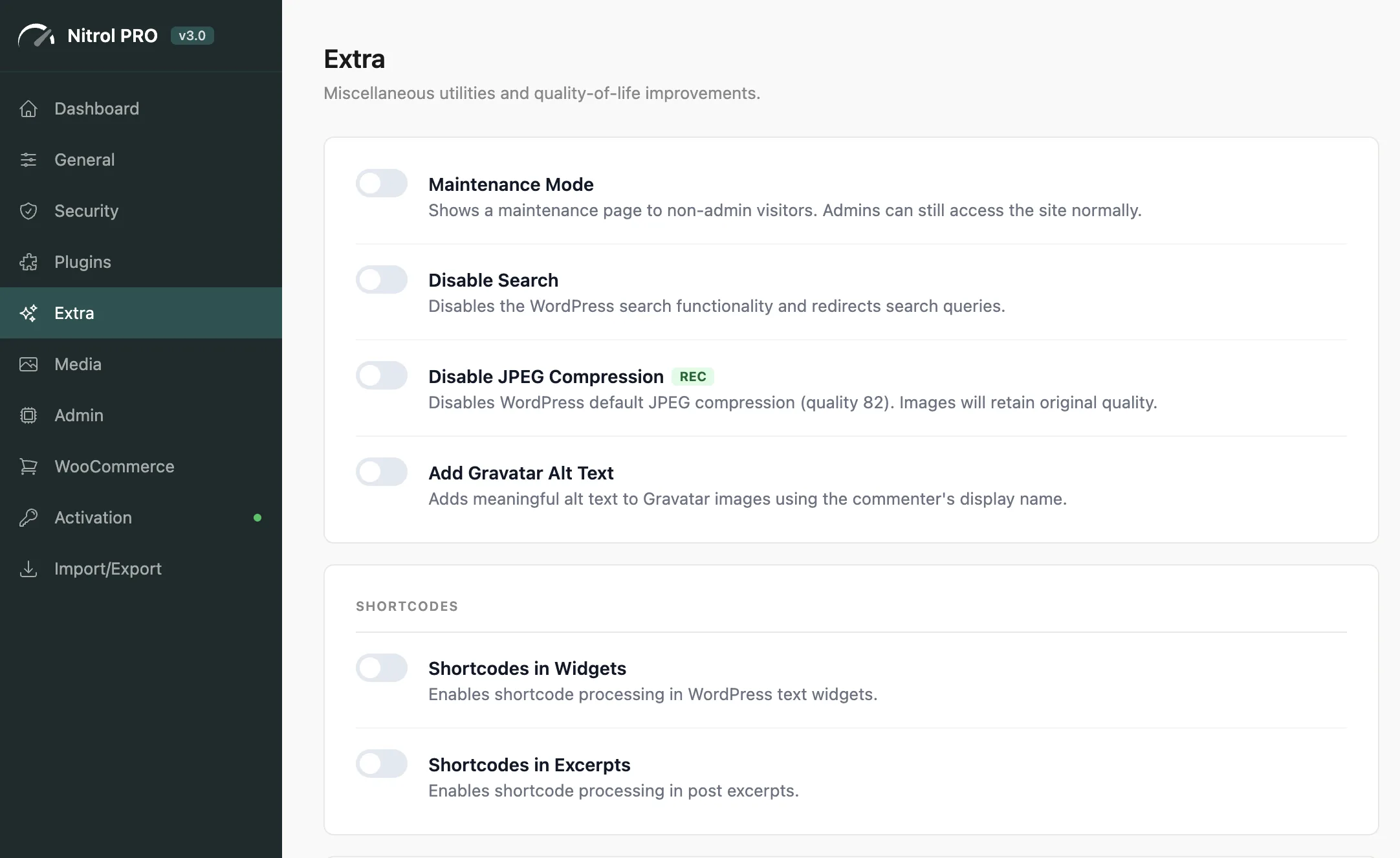
#Utilities
Setting | What it does |
|---|---|
Maintenance Mode | Shows a 503 maintenance page to all non-admin visitors. Admins, AJAX, cron jobs, REST API, and the login page are not affected. |
Disable Search | Disables WordPress search entirely - search queries redirect to 404 |
Disable JPEG Compression | Sets JPEG quality to 100% instead of the WordPress default 82% |
Add Gravatar Alt Text | Adds descriptive alt text to Gravatar images using the commenter's name |
Maintenance Mode is perfect for quick site updates. Enable it before making changes, disable it when done - visitors see a clean maintenance page instead of a broken site. Only administrators can see the live site while it's active.
Disable JPEG Compression is useful if your images look noticeably degraded after upload. Keep in mind that 100% quality produces significantly larger file sizes - use this alongside a compression or WebP conversion tool for best results.
#Shortcodes
Setting | What it does |
|---|---|
Shortcodes in Widgets | Enables shortcode processing inside classic text widgets |
Shortcodes in Excerpts | Enables shortcode processing in post excerpts |
WordPress doesn't process shortcodes in excerpts or text widgets by default. Enable these if you're using shortcodes to embed content in those locations.
#RSS
Setting | What it does |
|---|---|
Delay RSS Publishing | Holds new posts from appearing in your RSS feed for 1, 5, 10, or 30 minutes |
RSS Delay gives you a window to fix typos or correct errors before your post is syndicated to feed readers and email subscribers. Once it's out, you can't un-send it.
#Redirects
Setting | What it does |
|---|---|
Redirect 404 to Homepage | Sends visitors who hit a 404 error page to your homepage instead |
Redirecting all 404s to the homepage can confuse visitors who followed a broken link - they arrive at the homepage with no explanation. It also masks broken links that should be fixed. Use this only if you have a deliberate reason for it.
Last updated
Was this article helpful?

On this page
