
Admin
Customize the WordPress admin experience for your team and take control of automatic updates.
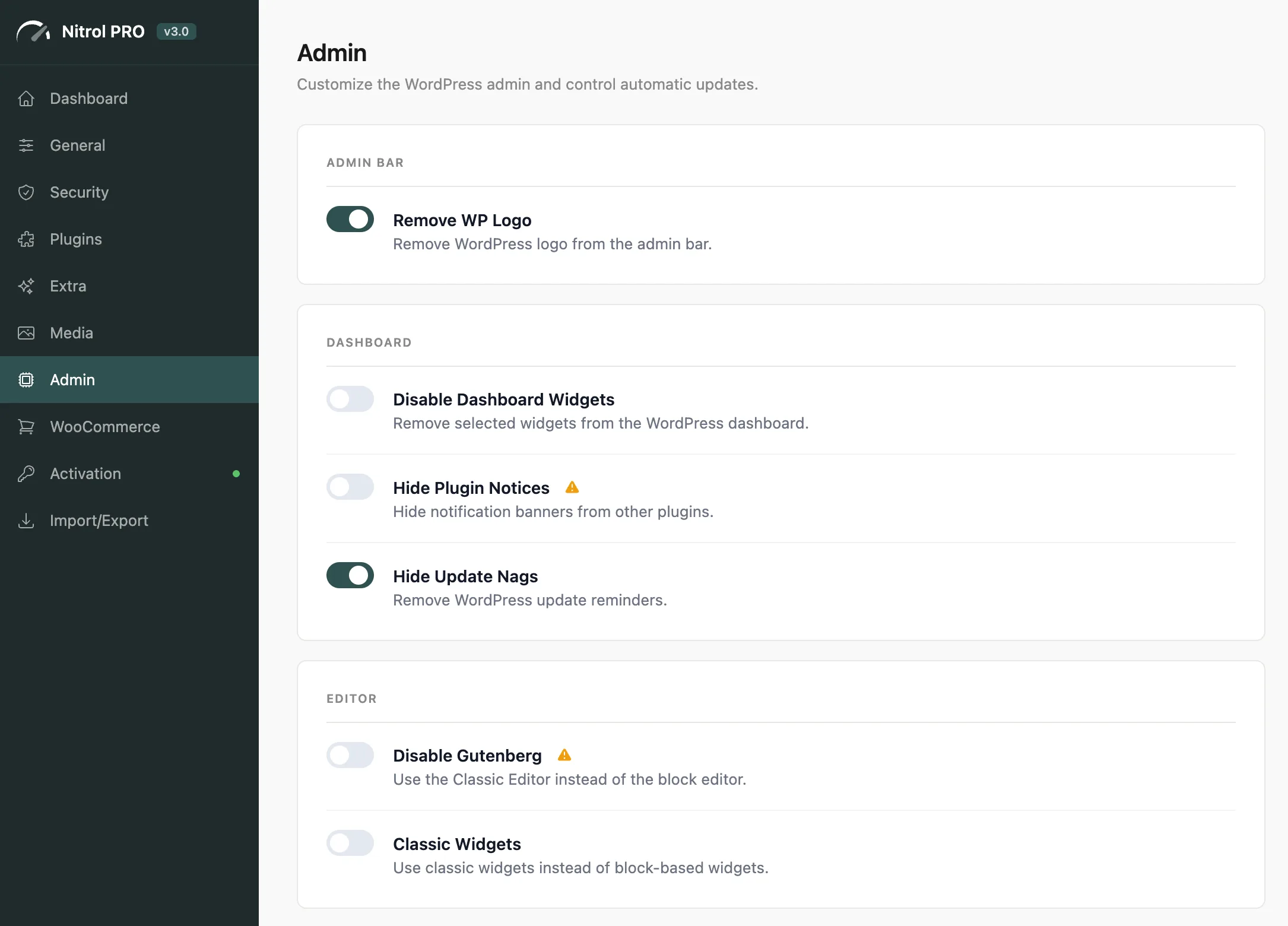
#Admin Bar
Setting | What it does |
|---|---|
Remove WP Logo | Removes the WordPress logo (and its dropdown menu) from the admin bar |
#Dashboard
Setting | What it does |
|---|---|
Disable Dashboard Widgets | Select which widgets to remove: At a Glance, Activity, Quick Draft, Events and News, Site Health |
Hide Plugin Notices | Hides notification banners from other plugins across the admin |
Hide Update Nags | Removes WordPress core update reminder banners |
Hide Plugin Notices may conceal important security warnings from other plugins. Use this carefully - it's most useful when a client-facing admin interface needs to stay clean, not for your own dev environments.
#Editor
Setting | What it does |
|---|---|
Disable Gutenberg | Switches back to the Classic Editor for all post types |
Classic Widgets | Restores the classic widgets interface instead of the block-based widget editor |
Disabling Gutenberg removes access to block-based features: patterns, full site editing, block themes, and the block widget editor. Only use this if your site is built on classic editor workflows.
#Auto Updates
Control each update channel independently - enable only the ones you trust to run unattended:
Core Auto-Updates - WordPress core (minor releases only, by default)
Plugin Auto-Updates - all installed plugins
Theme Auto-Updates - all installed themes
Translation Auto-Updates - language packs and translation files
For production sites, keeping Core Auto-Updates on for minor security releases is a good practice. Auto-updating plugins and themes carries more risk - test updates on staging first if possible.
#Customization
Setting | What it does |
|---|---|
Custom Admin Footer | Replace the default "Thank you for creating with WordPress" footer text with your own branding |
Hide Screen Options | Removes the Screen Options tab from admin pages - useful for client-facing installs |
Custom Admin Footer and Hide Screen Options are especially useful for white-label installs or agency sites where you want to present a clean, branded admin panel to clients.
Last updated
Was this article helpful?

On this page
