
Developer Tools
Inspection and debugging utilities built for developers. The Developer Tools addon gives you deep visibility into what is attached to each cron hook and a safe way to test executions without side effects.
Enable under Addons > Developer Tools.
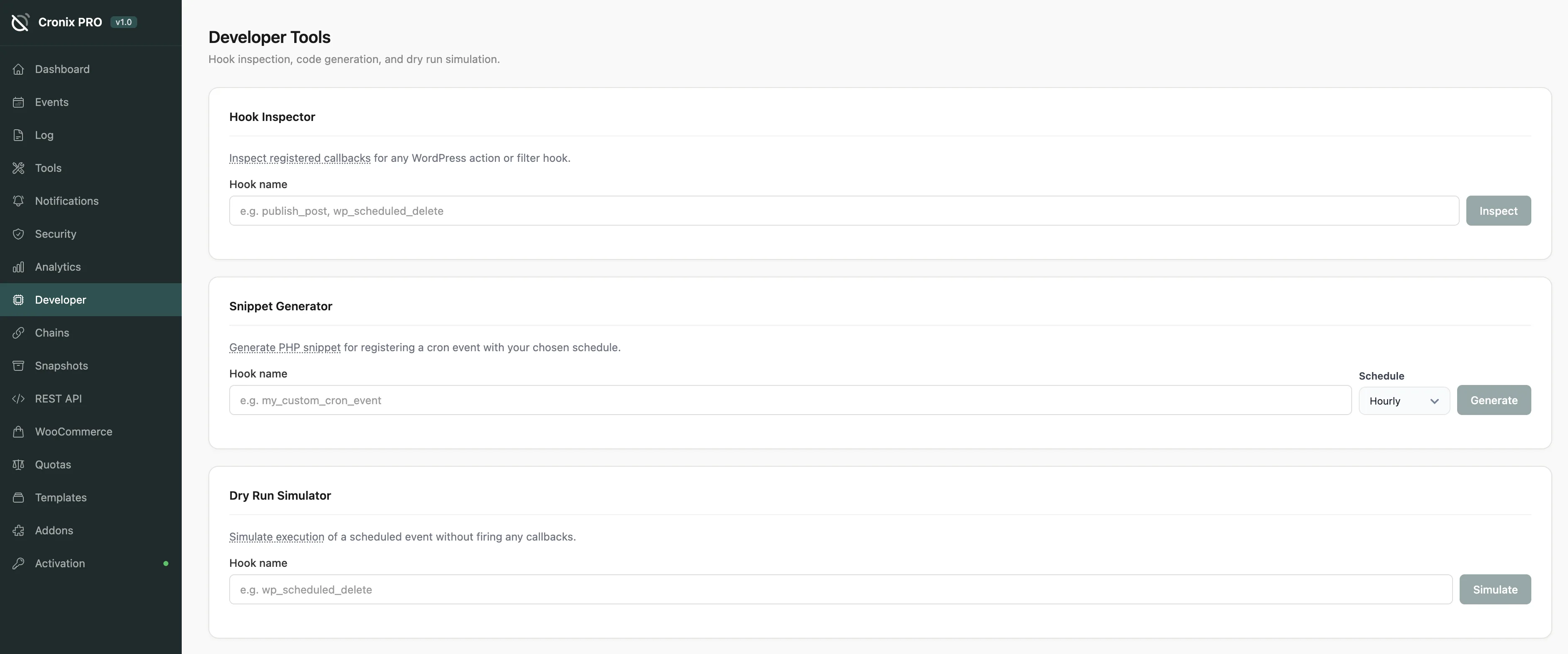
#Hook Inspector
Select any registered cron hook to see every PHP callback attached to it:
Column | Description |
|---|---|
Function | The function name, class method, or closure |
Priority | WordPress action hook priority |
File path | The file where the callback is defined |
Line number | The exact line in the source file |
This answers a common question: what code actually runs when this hook fires? Especially useful when a hook is registered by a third-party plugin.
If a hook shows no callbacks in the Hook Inspector, it is an orphan - it is scheduled but has nothing to execute. Use Tools > Orphan Cleanup to remove it.
#Dry Run
Execute a cron hook in a sandboxed context. The run is logged in the Execution Log with a dry-run flag, but the actual callback logic is not invoked.
Useful for:
Verifying that a new hook is properly registered before it fires in production
Confirming a fixed hook executes without errors after a code change
Testing argument passing without triggering real side effects
Dry Run confirms the hook fires and records metadata. It does not simulate business logic - use it alongside your own test data to validate code changes.
#Code Snippet Generator
Generate copy-paste PHP to register a new cron event:
Enter a hook name
Pick a schedule (or enter a custom interval in seconds)
Optionally set arguments
Click Generate
The output includes:
The
wp_schedule_event()call with correct parametersA callback function skeleton with the hook wired up
The
register_activation_hook()andregister_deactivation_hook()boilerplate
// Generated by Cronix PRO Developer Tools
add_action( 'my_custom_hook', 'my_custom_hook_callback' );
function my_custom_hook_callback() {
    // Your code here
}

register_activation_hook( __FILE__, function() {
    if ( ! wp_next_scheduled( 'my_custom_hook' ) ) {
        wp_schedule_event( time(), 'hourly', 'my_custom_hook' );
    }
});

register_deactivation_hook( __FILE__, function() {
    wp_clear_scheduled_hook( 'my_custom_hook' );
});
The deactivation hook in the generated code ensures the event is cleaned up when the plugin is deactivated. This prevents orphaned hooks from accumulating on your site.
Last updated
Was this article helpful?

On this page
