
External REST API
A token-authenticated REST API for integrating Cronix PRO with external systems. Manage your cron schedule from CI/CD pipelines, monitoring dashboards, deployment scripts, or any tool that can make an HTTP request.
Enable under Addons > External REST API.
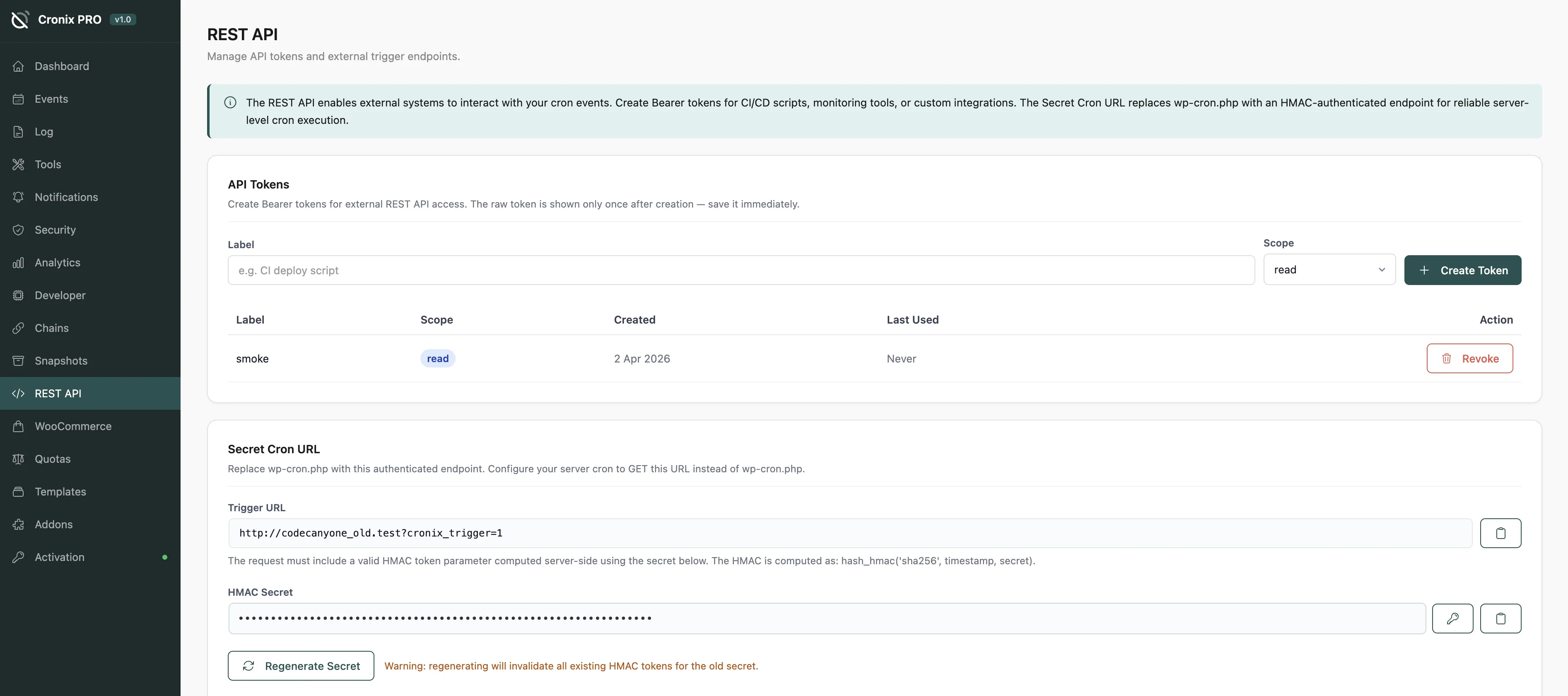
#Setup
Enable the addon under Addons > External REST API
Click Generate Token to create a new API token
Copy the token - it is only shown once
Use the token in the
Authorization: Bearer <token>header on all requests
Treat API tokens like passwords. Store them in environment variables or a secrets manager - never in version-controlled files.
#Authentication
All external API requests must include a Bearer token in the Authorization header. Standard WordPress cookie or nonce authentication is not accepted for external API requests.
Tokens can be scoped to read-only or read-write access. Create separate tokens for monitoring systems (read-only) and deployment scripts (read-write).
#Token Management
Create - generate a new named token with a defined scope
Revoke - immediately invalidate a specific token
Last used - see when and from which IP address each token was last used
Create one token per integration rather than sharing tokens between systems. This way, revoking a compromised token for one system does not affect the others.
#Available Endpoints
The External REST API exposes all core Cronix PRO operations:
Method | Endpoint | Description |
|---|---|---|
|
| List all events |
|
| Run an event immediately |
|
| Pause an event |
|
| Resume an event |
|
| Get the current health score |
|
| Query the execution log |
See the REST API Reference article for the complete endpoint list with all parameters.
#Use Cases
Deployment scripts - pause non-critical events before deploying, then resume after:
Send a POST to /events/{hook}/pause before your migration runs, then POST to /events/{hook}/resume when the deploy is complete.
Health monitoring - poll the health score from an uptime service:
Send a GET to /health/score on an interval and alert your team if the score drops below a threshold.
The external API is independent of WordPress session-based authentication. A Bearer token is the only credential needed - no WordPress login, no nonce, no cookies.
Last updated
Was this article helpful?

On this page
