
Notifications
Get notified the moment something goes wrong with your cron schedule - before your users notice. Cronix PRO supports five notification channels and six alert types, all configurable without writing any code.
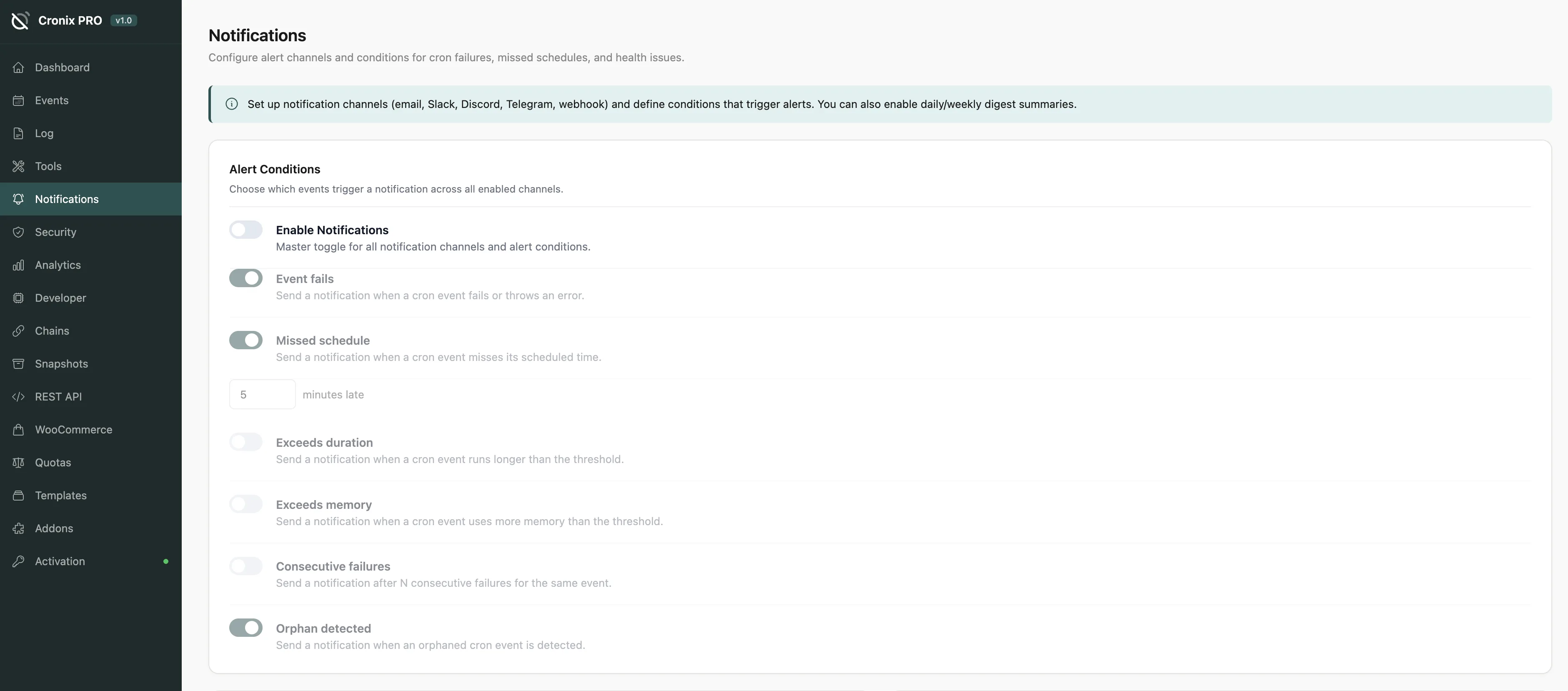
#Alert Rules
Each rule has its own toggle and a configurable threshold. Enable only the alerts that matter for your site.
Rule | Default Threshold |
|---|---|
Event failure detected | Any error |
Missed schedule | 5 minutes overdue |
Execution too slow | Over 30 seconds |
Memory exceeded | Over 128 MB |
Consecutive failures | 3 in a row |
Orphan detected | Any orphan |
Start with just Event failure detected and Consecutive failures enabled. These two rules catch the most critical problems without flooding you with noise.
#Notification Channels
Channel | Setup |
|---|---|
Comma-separated recipient addresses | |
Slack | Paste a webhook URL from your Slack App configuration |
Discord | Paste a webhook URL from your Discord channel settings |
Telegram | Enter your bot token and chat ID |
Webhooks | POST to any URL with a JSON payload |
Each channel has a Test button. Always test before going live - it verifies delivery and shows you exactly what the alert message looks like.
You can enable multiple channels simultaneously. For example, send critical failures to Slack and a daily digest to email.
#Webhook Payload
Webhook notifications POST a JSON body to your URL:
{
  "event": "failure",
  "hook": "my_custom_hook",
  "site": "https://yoursite.com",
  "timestamp": "2026-04-04T12:00:00Z",
  "message": "Event failed with error: ..."
}
You can modify the payload using the cronix_notification_data filter. See Hooks & Filters for details.
#Digest Emails
Instead of one email per alert, receive a single daily or weekly summary covering all events, failures, slow runs, orphans, and missed schedules.
Frequency - Daily or Weekly
Send hour - pick the delivery hour (0–23)
Digest and instant alerts can run simultaneously - for example, instant Slack alerts for failures plus a weekly email digest for the full picture.
Digest emails are great for low-urgency monitoring. You stay informed without notification fatigue.
Last updated
Was this article helpful?

On this page
