
Tools
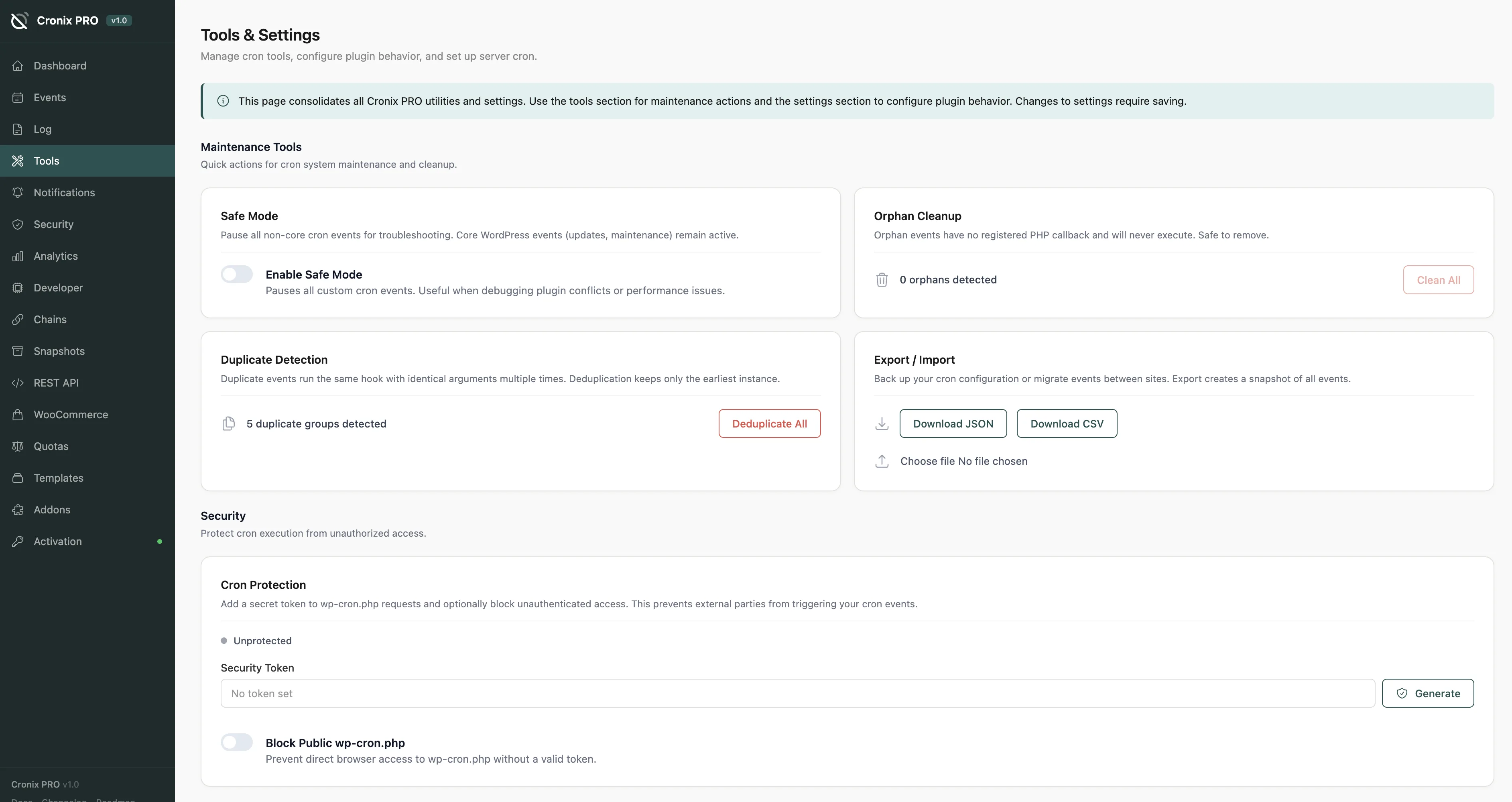
Maintenance and diagnostic utilities for keeping your cron schedule clean and reliable. All tools live under Cronix PRO > Tools in the sidebar.
#Safe Mode
One toggle that pauses every non-core event instantly. WordPress core hooks (update checks, email, etc.) keep running - only plugin and theme events are suspended.
This is the fastest way to isolate a cron-related performance problem without deactivating plugins one by one.
Safe Mode is great for debugging a slow or broken site. Enable it, confirm the problem goes away, then disable Safe Mode and re-enable plugins one at a time to find the culprit.
#Orphan Cleanup
Scans for hooks that have no registered PHP callback. These are left behind when plugins are deactivated without cleaning up their scheduled events. Orphans waste resources and can bloat the _cron option in wp_options.
- Detect - lists all orphaned hooks with the hook name and last-known source
- Clean - removes them from the cron schedule in one click
Running Orphan Cleanup after removing plugins is a good habit. A typical WordPress site accumulates dozens of orphans over time.
#Duplicate Detector
Finds events scheduled more than once with the same hook name and arguments. Duplicates are common when a plugin activation or setup routine runs multiple times - each run adds another copy.
The detector lists each duplicate group with the hook name, argument hash, count, and next run times. You can remove the extras with one click.
#Real Cron Setup
WordPress cron depends on site visits to fire - on low-traffic sites, events can be delayed by hours. A real server cron job solves this.
The wizard detects your server environment and generates the exact command to use:
- crontab -
*/5 * * * * wget -q -O /dev/null https://yoursite.com/wp-cron.php?doing_wp_cron - WP-CLI -
*/5 * * * * cd /path/to/site && wp cron event run --due-now - External service - a URL to ping from cron-job.org, EasyCron, or similar
The WP-CLI method is the most reliable option if WP-CLI is available on your server. It runs events directly without the overhead of an HTTP request.
#Custom Schedules
WordPress ships with only three built-in intervals: hourly, twicedaily, and daily. Add your own here - for example, every 5 minutes, every 15 minutes, or weekly.
Custom schedules are available immediately to any plugin that uses wp_schedule_event().
#Export / Import
Backup your entire cron schedule as a JSON file, then restore it on any site. Useful before major plugin changes or migrations.
- Export - downloads a JSON snapshot of all registered events
- Import - upload a previously exported file to restore events
Importing a schedule overwrites any events with the same hook name. Review the import file before applying it on a production site.
Last updated
Was this article helpful?

On this page
