
Template Library
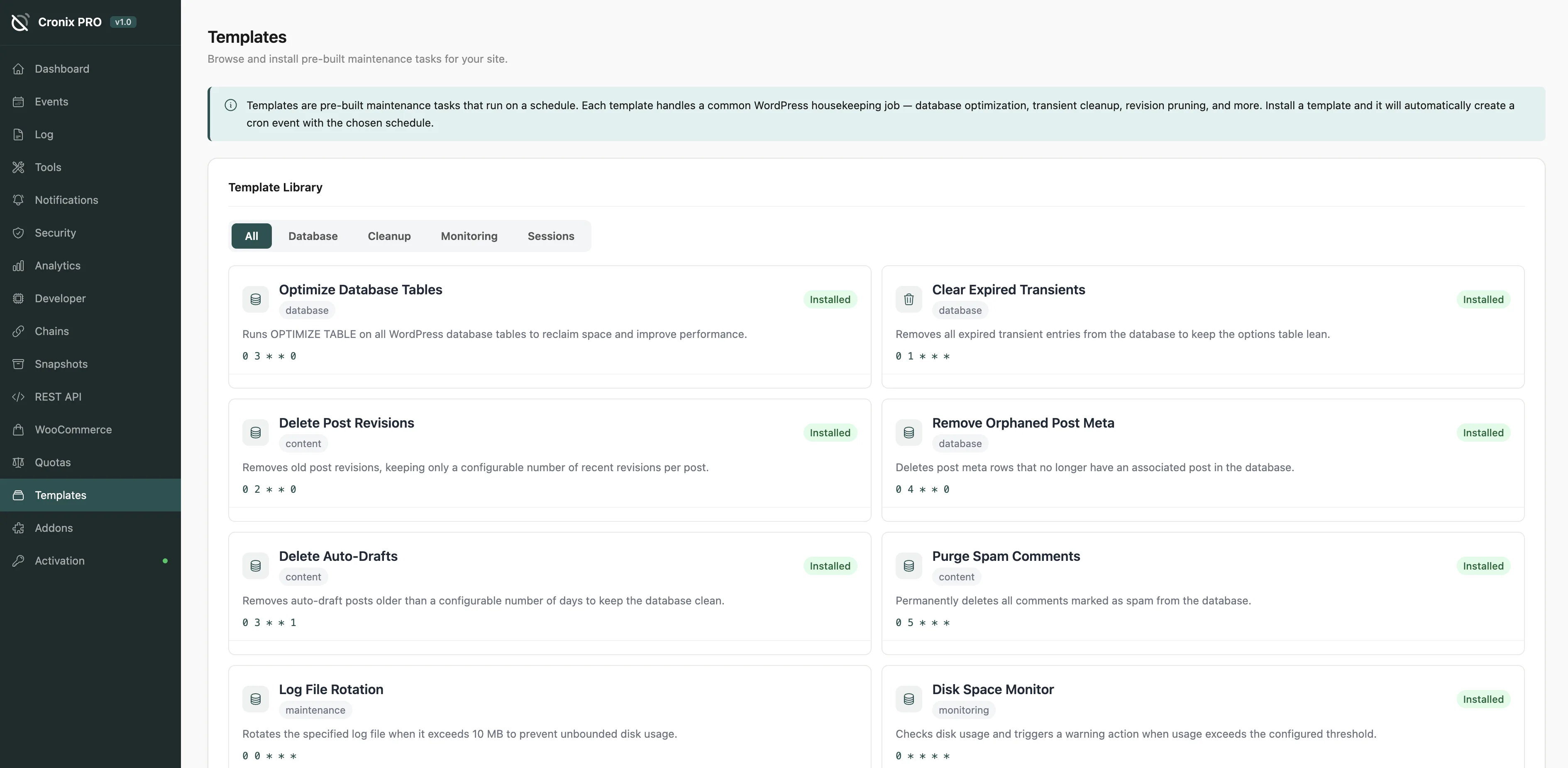
A collection of pre-built, ready-to-use maintenance tasks you can add to your cron schedule in one click - no PHP required.
#What Templates Are
Each template is a complete cron event definition: hook name, schedule, description, and the PHP callback code. Installing a template registers the event and deploys the callback automatically.
Templates are grouped by category:
- Database - optimize tables, clear transients, clean post revisions
- Media - regenerate thumbnails, clean unused attachments
- Security - rotate salts, prune user sessions, audit user capabilities
- Performance - flush object cache, warm page cache, clear expired cookies
- Maintenance - check broken links, prune comment spam, clean log files
- WooCommerce - clean expired coupons, archive old orders, sync product stock
The Clear expired transients template is useful on almost every WordPress site. Transients accumulate quickly and slow down the database if never cleaned.
#Installing a Template
- Browse or search the template library
- Click Preview to see what the event does and what code it runs
- Click Install to add it to your cron schedule
Installed templates appear immediately in the Events Manager and can be managed like any other event.
{{ IMAGE HERE: Template preview modal showing description, PHP code snippet, and default schedule }}
#Customizing After Install
Once installed, the event is fully editable in the Events Manager. You can:
- Change the schedule (e.g., run it less often)
- Adjust the next run time
- Edit the PHP callback if you need custom logic
Templates are starting points, not locked configurations. Install one, then adjust it to fit your site specific needs.
#Community Templates
Templates flagged as Community were submitted by other Cronix PRO users. They are reviewed before being added to the library but are used at your own discretion.
Always preview a template before installing it, especially community templates. Review the PHP code to confirm it does what you expect on your specific setup.
Last updated
Was this article helpful?

On this page
