
WooCommerce
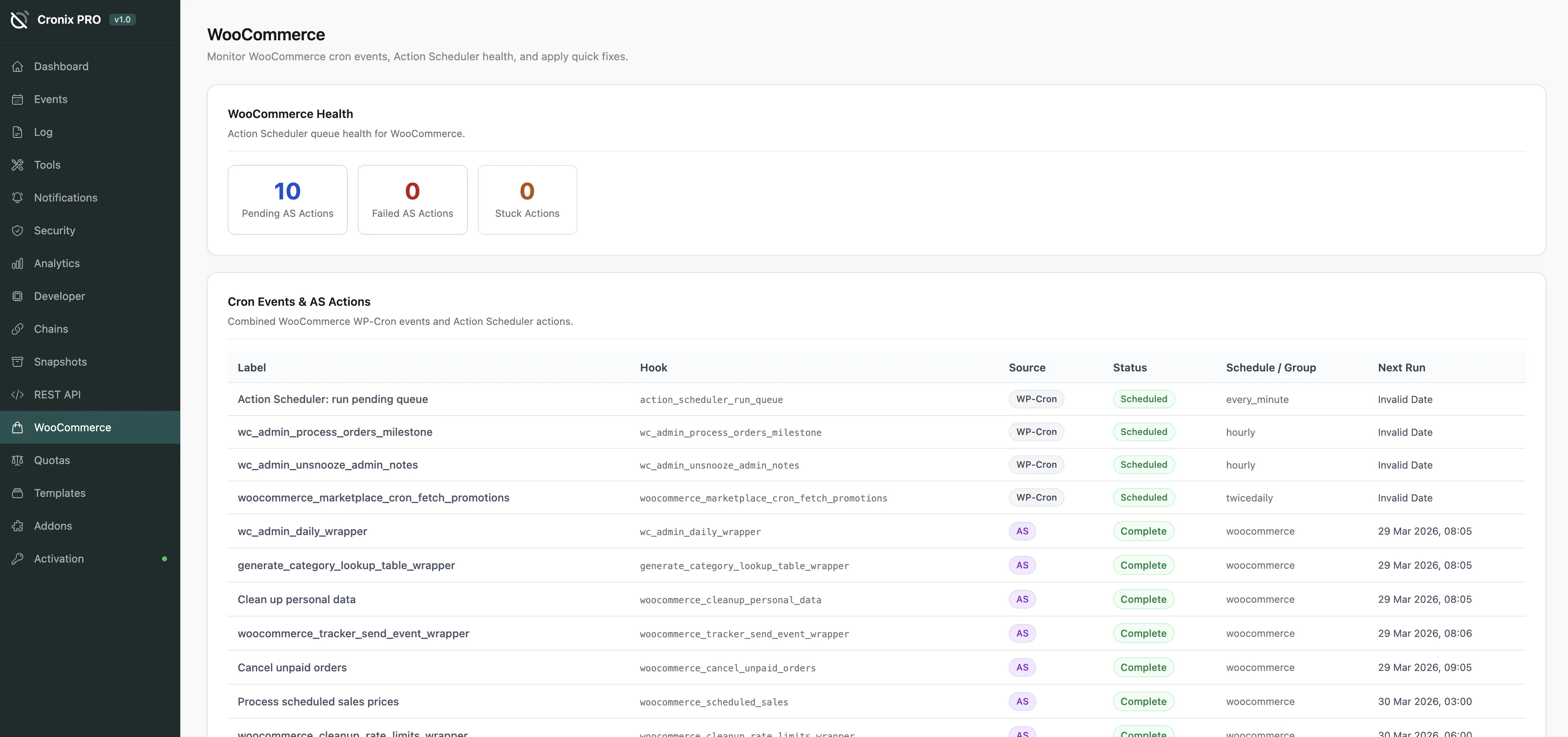
A dedicated viewer and management interface for WooCommerce Action Scheduler. If you run WooCommerce, this addon replaces the buried, hard-to-read native Action Scheduler table with a clean Cronix PRO interface.
Requires WooCommerce (or any plugin that ships Action Scheduler) to be active. The addon automatically detects Action Scheduler - you do not need to configure anything.
#Why This Matters
Action Scheduler is the queue system WooCommerce uses for background jobs - order processing, email sending, inventory sync, and more. A backlogged or failing Action Scheduler queue can cause:
- Orders not processed in time
- Emails not sent
- Stock levels not updated
- Subscription renewals missed
The WooCommerce addon gives you the same visibility and control over Action Scheduler that Cronix PRO provides for WP-Cron.
#What You Can See
- All pending, running, failed, and completed actions
- Action group, hook name, and arguments
- Scheduled time and actual execution time
- Failure counts and error messages
- Queue depth and processing rate
#What You Can Do
- Run now - push an action to execute immediately
- Cancel - remove a pending action from the queue
- Retry - re-queue a failed action
- Bulk cancel - clear all failed actions of a given type
#Queue Health
A queue health indicator shows:
- Total pending actions
- Failed action count
- Actions running longer than expected
- Whether the Action Scheduler runner cron is registered and active
If you see a large backlog of pending actions, it usually means the Action Scheduler runner cron is not firing reliably. Check the main Cronix PRO Events Manager and look for action_scheduler_run_queue - it should be active and running on schedule.
Last updated
Was this article helpful?

On this page
