
Addons Manager
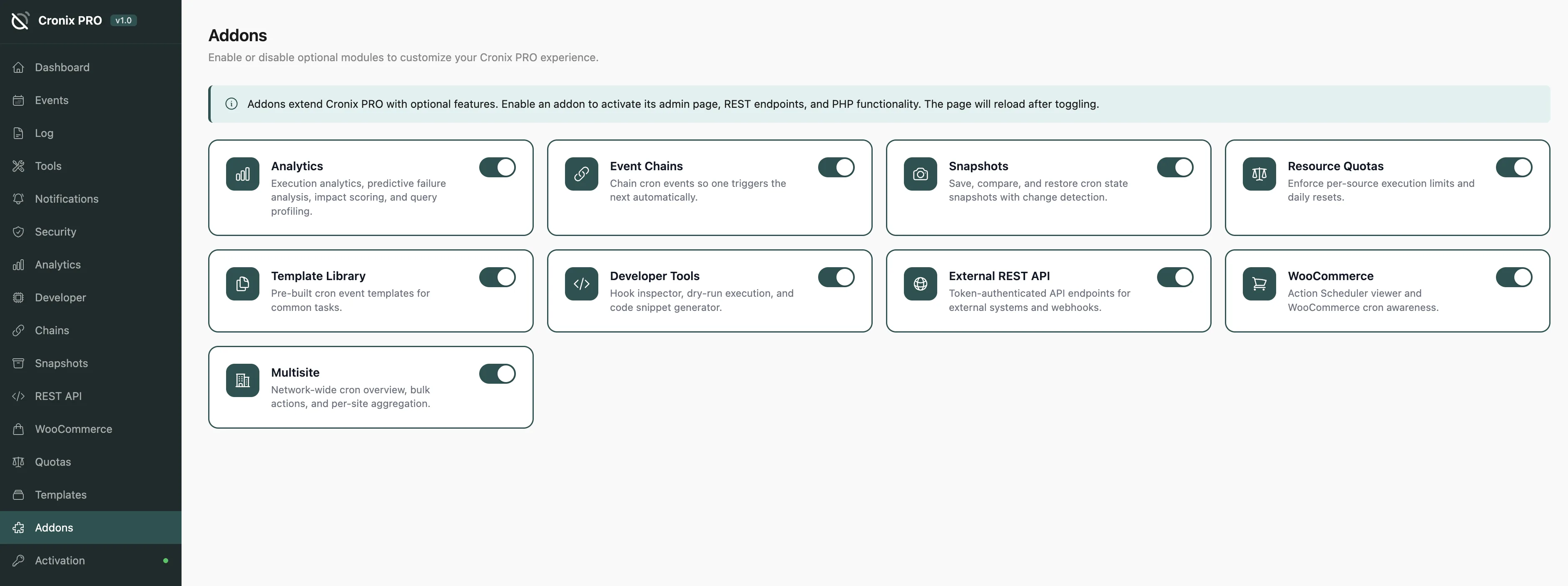
The Addons Manager is the central control panel for all 9 optional modules. Enable only what you need - disabled addons register no hooks and consume no resources.
#Available Addons
Addon | What it does |
|---|---|
Analytics | Execution trends, heatmaps, query profiling, and predictive failure analysis |
Event Chains | Build multi-step workflows where cron events trigger each other in sequence |
Snapshots | Save and restore the full cron schedule state with change detection |
Resource Quotas | Limit execution time and memory per source plugin, with auto-pause on breach |
Template Library | Pre-built maintenance tasks ready to install in one click |
Developer Tools | Hook inspector, dry-run execution, and PHP code snippet generator |
External REST API | Token-authenticated API for third-party integrations and automation |
WooCommerce | Action Scheduler viewer and management for WooCommerce sites |
Multisite | Network-wide cron dashboard and bulk management for WordPress Multisite |
#Enabling an Addon
Flip the toggle on any addon card to enable it. The page in the sidebar appears immediately - no reload required.
Start with Analytics and Snapshots - they are the two addons most useful on any WordPress site, regardless of what plugins you run.
#Disabling an Addon
Flip the toggle off. All data for that addon is preserved - re-enabling it restores everything exactly as you left it.
Disabling an addon does not delete its data. You can safely disable addons you do not currently need and re-enable them later.
#Addon Requirements
Some addons have prerequisites:
Analytics - requires Execution Tracking enabled in Settings
WooCommerce - requires WooCommerce (or any Action Scheduler plugin) to be active
Multisite - only available on WordPress Multisite installations
If a prerequisite is missing, the addon card shows a notice explaining what is needed.
Last updated
Was this article helpful?

On this page
