
Category menu panel and post counts - Fabula
A category link in your main menu can show how many posts the category holds and, on hover or keyboard focus, open a panel with that category's latest posts. Both are off by default and set at AppearanceCustomizeFabula ThemeNavigation.
#Set it up
Add categories to the menu
Go to AppearanceMenus, open the Categories box on the left, and add the categories you want to your main menu. Keep them at the top level of the menu.
Turn on the count, the panel, or both
Go to AppearanceCustomizeFabula ThemeNavigation and switch on Post count beside categories, Category posts panel, or both.
Choose the panel's posts
With the panel on, set Posts in the panel and Number of posts, then hover a category in the menu to check it.
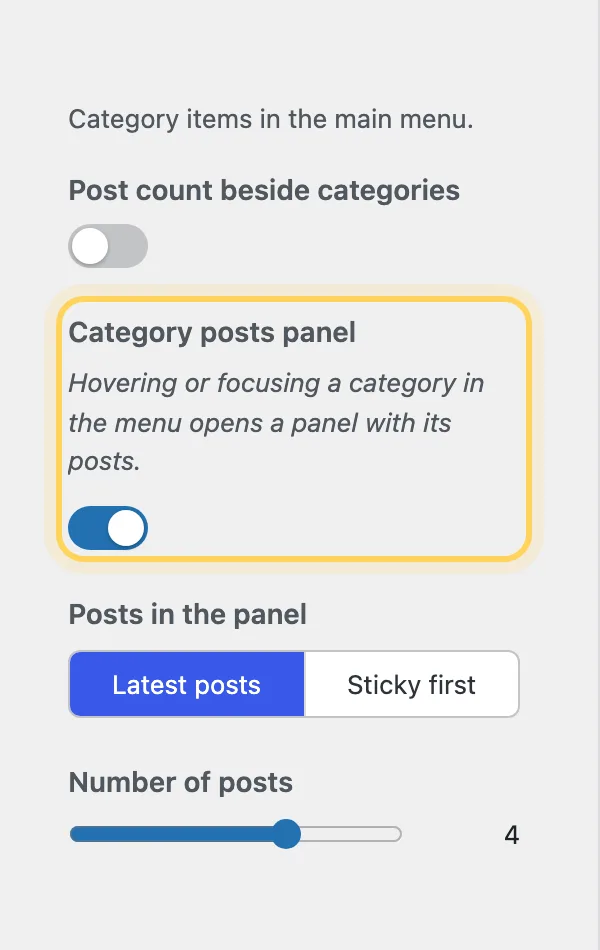
A small number next to the category name.
Hovering or focusing a category opens a panel with its posts.
Latest posts, or Sticky first. With Sticky first, the sticky posts of that category come first and the latest posts fill the remaining places.
From 2 to 5.
#What the panel shows
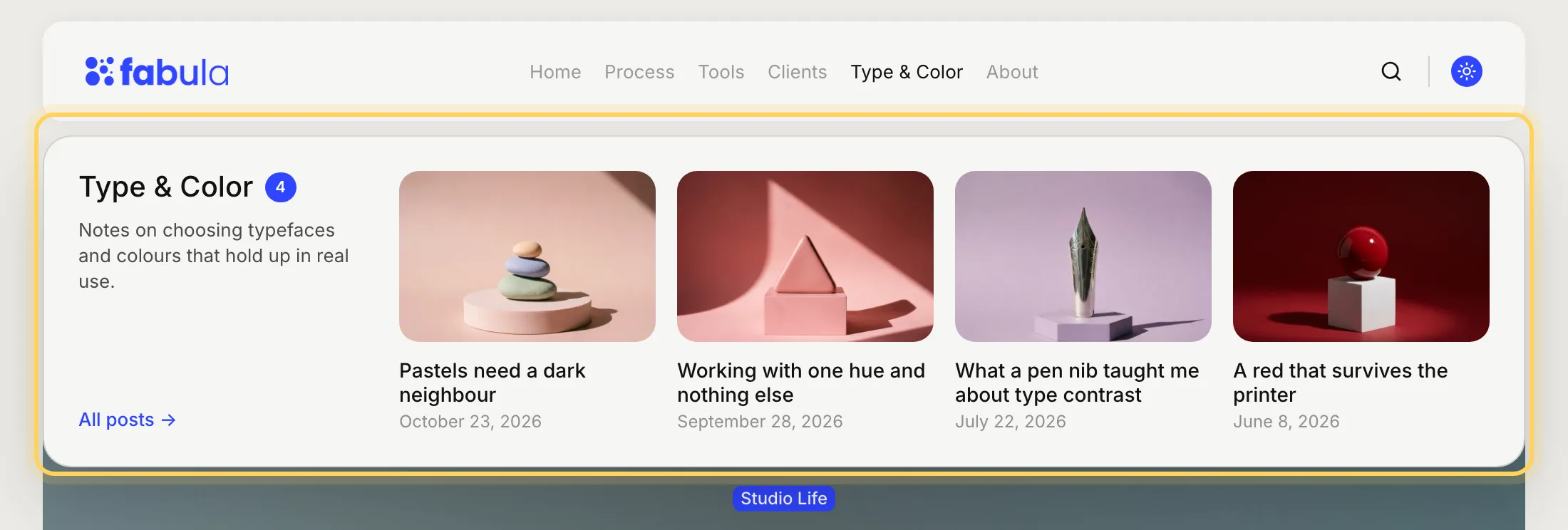
The panel opens under the menu item. It shows the category name with its post count, the first words of the category description when you wrote one, an All posts link to the category page, and the posts as small cards with the image, title, and date. A category with no posts opens no panel.
#Limits
- Top-level categories only. A category inside a drop-down gets neither the count nor the panel.
- Category items only. A link to a page or a custom link gets neither.
- Desktop menu only. The full-screen mobile menu shows plain links.
The panel is built with the page, so a menu with many categories adds work to every uncached page view. Keep the number of category items with a panel small.
While Fabula Pro is active, the Customizer Navigation section is hidden. Pro has its own category sub menus, which load their posts on hover. See Menu item options and mega menus.
Last updated
Was this article helpful?

On this page
