
Typography - Fabula
Typography has its own Customizer section: AppearanceCustomizeFabula ThemeTypography. It sets two fonts and the sizes of three kinds of text. It has no tabs, and the size sliders that need a switch stay hidden until you turn it on.
#Fonts
Fabula uses Poppins out of the box. The font files ship inside the theme, so a fresh site fetches nothing from outside servers. Any other font comes from your site's font library. To add one, follow Adding fonts to your site, then choose it here.
The font of headings.
The font of body text.
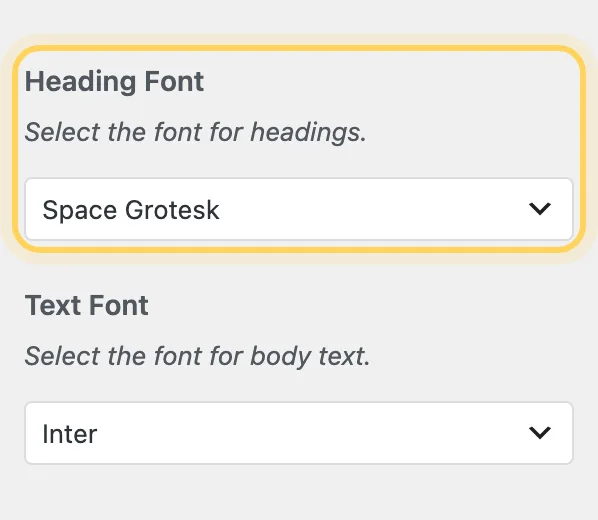
Adding a font to the library does not apply it. A family only changes the site after you pick it in one of these two controls.
#Size multipliers
Each multiplier is a percentage of the theme's base size for that kind of text. 100 is the original size, 150 makes the text half as large again, and 80 makes it a fifth smaller. All three run from 10 to 200 in steps of 1, and a change shows in the preview as you drag the slider.
Scales every heading size together.
Scales body text.
Scales meta information, such as post dates.
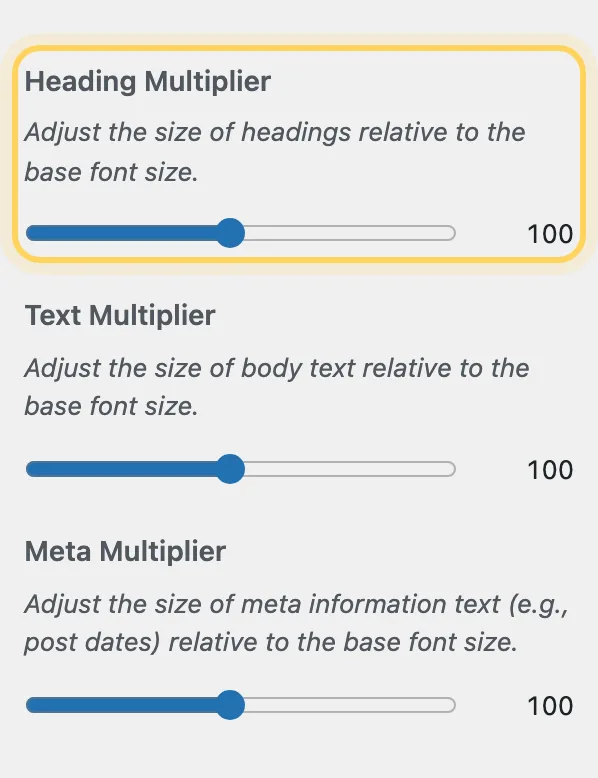
Use a multiplier when you want the whole type scale larger or smaller and keep the proportions between sizes.
#Advanced sizes
Shows the two pixel sliders below. Turn it on only if you want to set the base sizes yourself.
The base size of body text in pixels. The slider runs from 10 to 36. It is hidden while Advanced Typography is off.
The base size of meta text in pixels. The slider runs from 10 to 36. It is hidden while Advanced Typography is off.
The multiplier and the pixel size work together: the text size you see is the pixel size multiplied by the multiplier and divided by 100. With the defaults, body text is 14 pixels. Set Text Multiplier to 120 and it becomes 16.8 pixels.
#With Fabula Pro active
Pro adds one size setting for posts. On the Fabula ProTheme OptionsGeneral page, in the Style Tokens group, Single Post Font Size (default 14, from 10 to 36 pixels) sets the size of the text on single posts. See Theme Options: the Pro settings panel.
#Questions
I picked a font and the site did not change
Click Publish, then clear any page cache. If the font does not appear in the picker at all, it is not in your font library yet, so add it first.
Do the fonts load from Google?
Poppins does not: it ships with the theme. A font you add from Google Fonts can be served from your own domain, which is covered in the fonts article linked above.
Last updated
Was this article helpful?

On this page
