
Block patterns and block styles - Fabula
The free Fabula theme adds 11 block patterns and 3 block styles to the WordPress block editor. They work without the Pro plugin and without Elementor.
#Where to find them
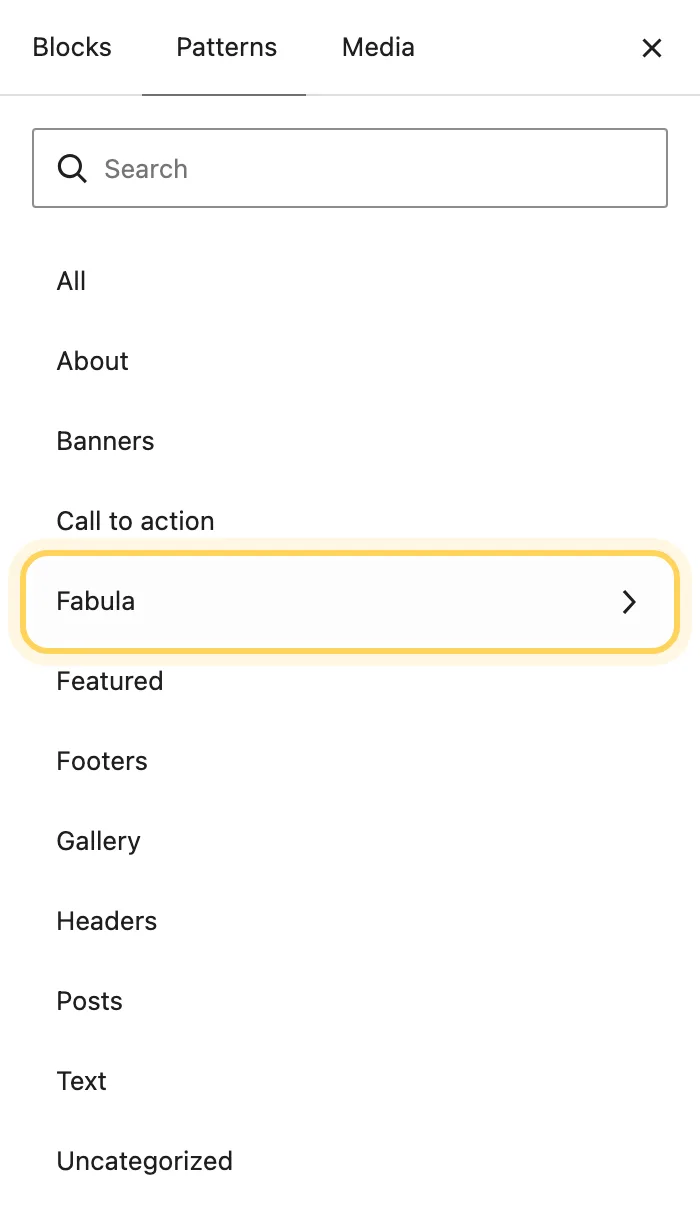
Open any post or page in the block editor, click the block inserter, and open the Patterns tab. Choose PatternsFabula to see all 11. A pattern also appears under the other categories listed in the table below, such as Text or Posts.
Block styles sit in the block settings. Select the block, open the Styles panel in the sidebar, and pick the style by name.
#Block patterns
Click a pattern to insert it, then edit the text, links, and colors like any other blocks.
| Pattern | What it gives you |
|---|---|
| About the publication | Two columns: who you are and what you cover on the left, how to reach the newsroom on the right. |
| Call to action card | A card with a heading, a line of text, and a button. |
| Editorial intro | A dated kicker, a large headline, and a lead paragraph, to open a long read or a special issue. |
| Key points | A card with the main points of a long read as a short list, placed at the top of a post. |
| Newsletter call | A centered card that invites readers to the newsletter. Point the button at your sign-up page or form. |
| Story grid | A section title with a link to the blog, and the latest six posts as cards in three columns. |
| Lead story with headlines | The newest post large with its excerpt, and the next four as headlines beside it. |
| Headlines with thumbnails | A short list of recent posts, each with a square thumbnail, its title, and its date. It fits a sidebar column. |
| Three columns of stories | Three columns of three posts each, for a front page below the lead story. Each column skips the posts of the one before it. |
| Pull quote | A quote set large between two rules, with the speaker's name under it. |
| Section title | A small label, a section heading, and a link to the blog, to open a block of stories. |
The post patterns (Story grid, Lead story with headlines, Headlines with thumbnails, and Three columns of stories) are built on the Query Loop block, so they show your own latest posts.
#Block styles
- Card
For the Group block. Turns the group into a card.
- Small thumbnails
For the Latest Posts block. Shows each post with a small thumbnail.
- Label
For the Post Terms block. Shows each category or tag as a label.
I do not see the Fabula category in the inserter
Check that Fabula is the active theme. The patterns belong to the theme, so they leave the inserter when you switch to another one.
Last updated
Was this article helpful?

On this page
