
3D Showcase Media Type - Monogram
The 3D Object media type lets you embed an interactive 3D model directly into a portfolio project page. Visitors can rotate, pan, and explore the model right in the browser.
#Setting Up a 3D Showcase
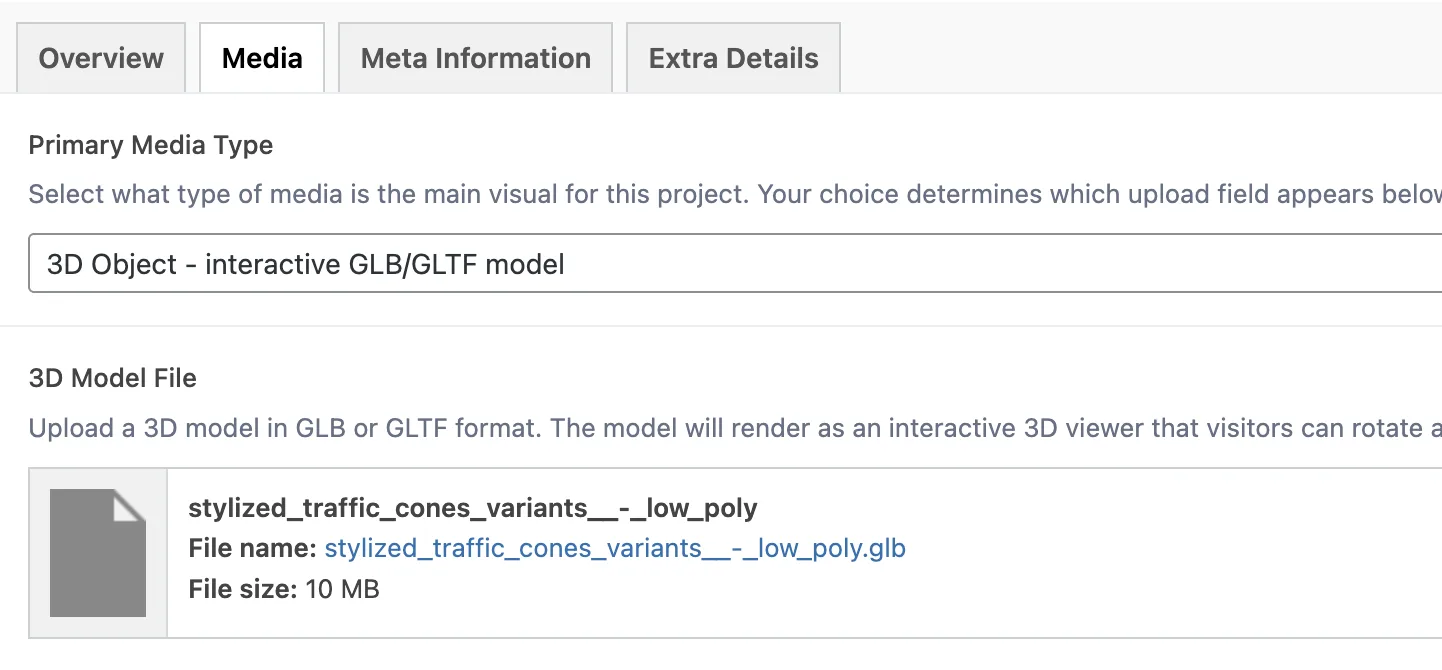
Open your portfolio item and go to the Media tab
Set Primary Media Type to 3D Object - interactive GLB/GLTF model
The 3D Model File field appears
Upload your model in GLB or GLTF format
Info: WordPress does not allow GLB/GLTF uploads by default. The Monogram core plugin enables these file types automatically when the theme is active.
#How the 3D Model Renders
The model is rendered using the <model-viewer> web component - a Google-maintained library for displaying 3D content in the browser.
#On Single Project Pages
The viewer provides:
Camera controls - click and drag to rotate, scroll to zoom, right-click to pan
Auto-rotate - the model slowly spins when idle to draw attention
Zoom enabled - visitors can scroll to zoom in on details
Responsive sizing that adapts to the layout style
#On Portfolio Archive Cards
Cards for 3D projects show a 3D icon badge on the thumbnail. Zoom is disabled on cards to prevent accidental scroll hijacking while browsing the portfolio grid.
#Performance
The <model-viewer> script is lazy-loaded - it only downloads when a 3D element enters the viewport. This means pages without 3D content pay zero performance cost, and pages with 3D models load the viewer only when the visitor scrolls to it. The viewer also re-initializes correctly after AJAX load-more events in portfolio grids.
#3D Model Field Reference
Field | Key | Type | Accepted Formats |
|---|---|---|---|
3D Model File | the 3D Model field | File | GLB, GLTF |
#Best Practices
Use GLB format (binary glTF). It packages the model, textures, and animations into a single file, which is simpler to manage and smaller to transfer than multi-file GLTF.
Keep models under 10-15MB. Large models cause long load times and high memory usage on mobile devices. Use mesh decimation and texture compression to reduce size.
Optimize textures. Resize texture maps to 1024x1024 or 2048x2048 max. Use tools like gltf-transform or glTF Pipeline to compress textures.
Test on mobile. 3D rendering is GPU-intensive. Preview your model on a mid-range phone to make sure it performs well. If it stutters, reduce polygon count and texture resolution.
Set a strong featured image. The featured image in the WordPress sidebar appears as the card thumbnail. Choose a rendered screenshot of your 3D model at its best angle - the interactive viewer only loads on the single project page.
Warning: 3D models with more than 500K triangles or textures larger than 4096x4096 may cause performance issues on mobile devices. Always test before publishing.
Last updated
Was this article helpful?

On this page
