
Menu Settings - Monogram
Monogram uses a custom navigation system with advanced features like megamenus, contact blocks, icons, and badge labels - all configured through WordPress menus and ACF fields.
#Menu Location
The theme registers one menu location: Navigation Menu (primary_menu). Assign your menu in Appearance > Menus or Appearance > Customize > Menus.
#Custom Walker
Monogram replaces the default WordPress menu walker with a custom one called JKDWalker that adds several features:
Maximum 7 top-level items - If you add more than 7 top-level menu items, the overflow items are automatically grouped into a "More" dropdown. All children of overflow items are preserved at full depth.
Megamenu support - Any top-level item with children can be turned into a full-width megamenu.
Contact submenu - Embed contact details and a Google Map directly inside a dropdown.
Icon support - Add an SVG or image icon next to any menu item.
Badge labels - Attach a small highlighted tag like "New", "Hot", or "Sale" to any item.
Post count display - Show the number of published posts next to archive menu items.
Disabled state - Visually disable a menu item (dims it and removes click behavior).
Mobile back button - Automatically injects a back button in mobile submenus.
#Per-Item ACF Fields
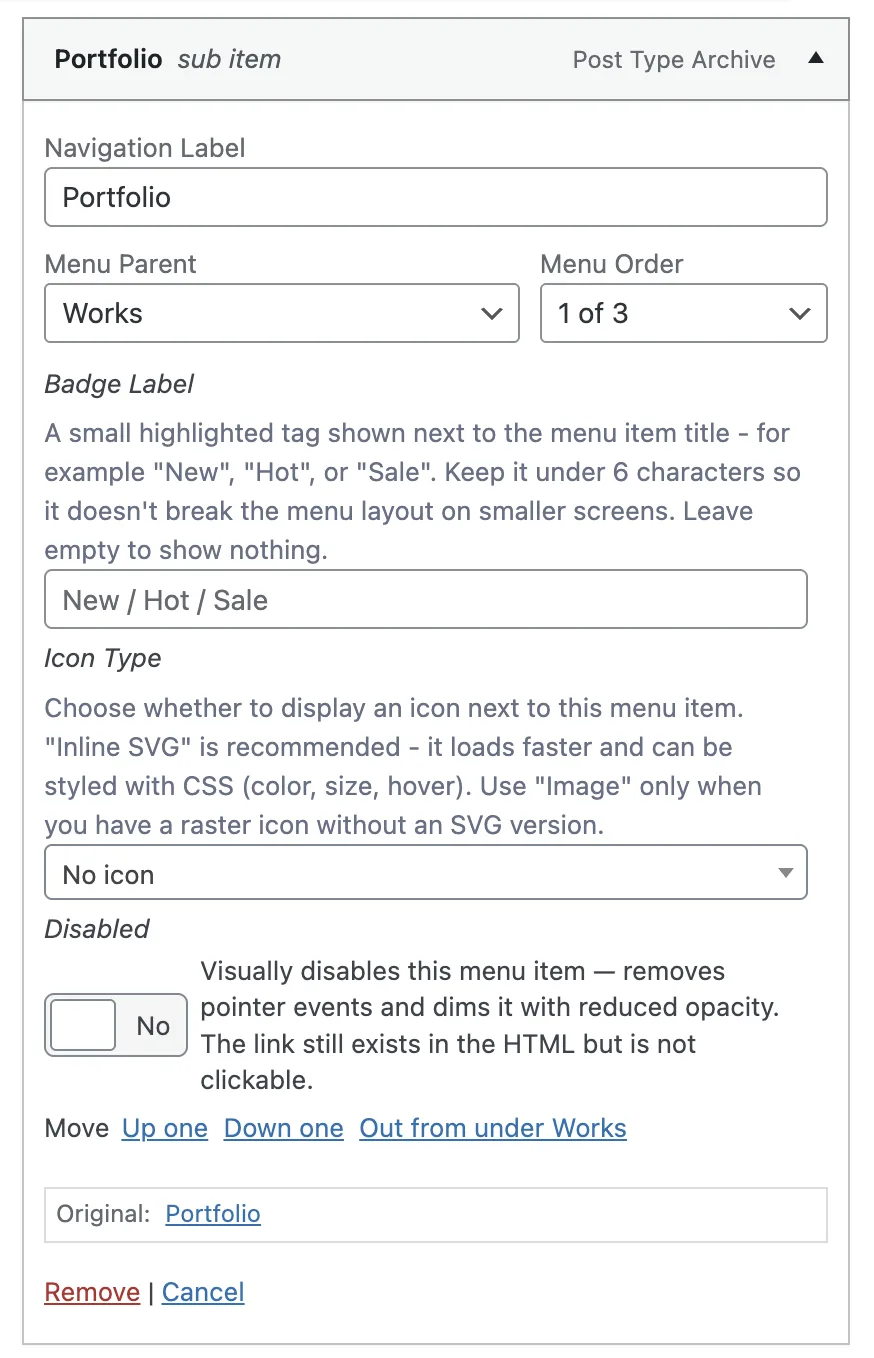
Every menu item gets a set of custom fields powered by Advanced Custom Fields. You can find these fields when editing any menu item in Appearance > Menus.
#Badge Label
Field | Type | Description |
|---|---|---|
Badge Label | Text | A small highlighted tag shown next to the menu item title. Examples: New, Hot, Sale. Keep it under 6 characters. Leave empty to show nothing. |
#Icons
Field | Type | Description |
|---|---|---|
Icon Type | Select | Choose No icon, Inline SVG (recommended), or Image (PNG, WebP) |
SVG Code | Textarea | Paste raw SVG code. Remove width/height attributes so it scales correctly. Only shown when Icon Type is Inline SVG |
Icon Image | Image | Upload a small icon (24x24px or 32x32px recommended). Only shown when Icon Type is Image |
#Megamenu
Field | Type | Description |
|---|---|---|
Enable Megamenu | Toggle | Turns this items dropdown into a full-width megamenu with columns and banners. Only use for top-level items that have child links |
Show Banner | Toggle | Adds a visual banner block on the side of the megamenu |
Banner Image | Image | The image displayed in the megamenu banner. Recommended minimum width: 600px |
Banner Click URL | URL | Where the banner links when clicked. Leave empty for decorative-only banners |
Banner Alt Text | Text | Description of the banner image for screen readers and SEO |
The megamenu displays child menu items as columns. Organize your child items into logical groups for the best layout.
#Contact Block
Field | Type | Description |
|---|---|---|
Show Contact Block | Toggle | Adds a contact section directly inside this items dropdown menu |
Title | Text | Heading at the top of the contact block |
Subtitle | Text | Supporting line below the title |
Contact Entries | Repeater | Add individual contact details (see sub-fields below) |
Each contact entry contains:
Sub-field | Type | Description |
|---|---|---|
Label | Text | Short identifier (e.g., Sales, Support) |
Icon Name | Text | Icon identifier (e.g., mail, phone, map-pin) |
Description | Textarea | Optional supporting text below the value |
Display Value | Text | The visible text shown to visitors |
Link | Text | Use mailto: for emails, tel: for phone numbers, or a URL |
Field | Type | Description |
|---|---|---|
Office Location Map | Google Map | Pin your office location. Renders a small embedded map inside the contact block |
#Utility Fields
Field | Type | Description |
|---|---|---|
Show Post Count | Toggle | Displays the number of published posts next to this menu item. Only works for category or taxonomy archive links |
Disabled | Toggle | Visually disables the menu item with reduced opacity and removes pointer events |
The Google Map field in the contact block requires a valid Google Maps API key. Add your key in Appearance > Customize > API Keys before using this feature.
Last updated
Was this article helpful?

On this page
