
Theme Options Overview - Monogram
Monogram gives you full control over every visual detail of your site through the WordPress Customizer. All theme settings live in one place: Appearance > Customize in your WordPress dashboard.
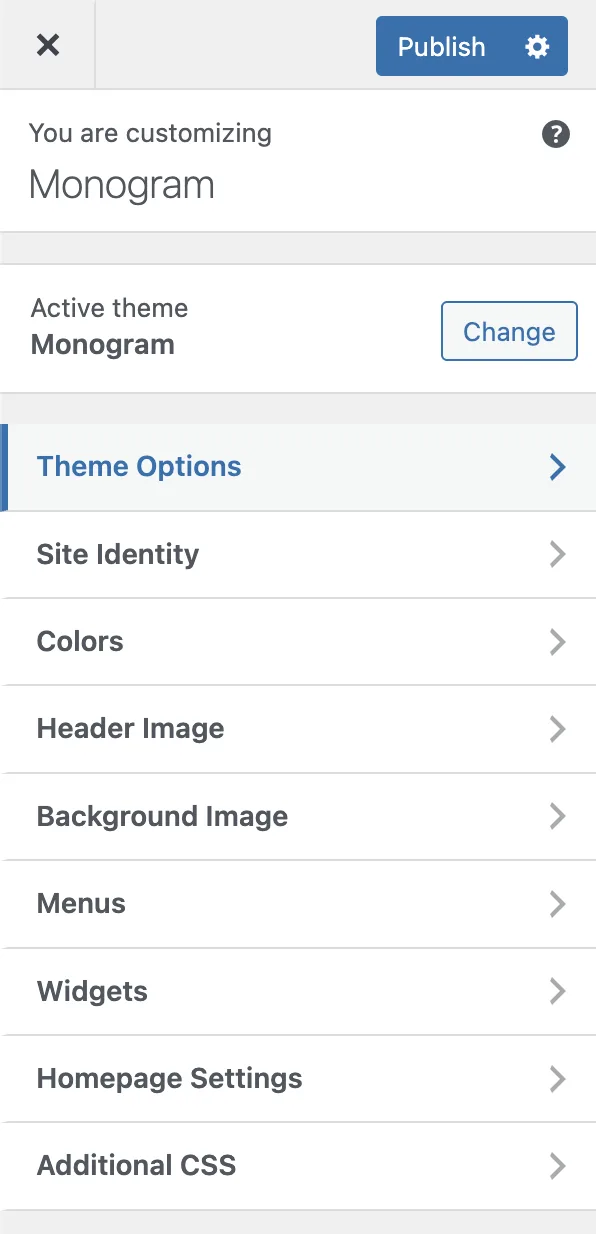
#How the Customizer Works
The Customizer is a built-in WordPress feature that lets you tweak settings and see changes in real time. Monogram extends it with a rich set of panels powered by the Kirki framework, giving you sliders, color pickers, toggles, image uploaders, and more - all with instant live preview.
To open the Customizer:
Log in to your WordPress admin dashboard.
Go to Appearance > Customize.
You will see a sidebar on the left with all available panels.
Click any panel to expand it and adjust settings.
Click Publish when you are happy with your changes.
Changes are not saved until you click Publish. You can experiment freely and discard changes by closing the Customizer without publishing.
#Available Panels
Monogram organizes all theme options into the following panels. Each panel groups related settings together so you can find what you need quickly.
Panel | What It Controls |
|---|---|
Color Scheme | Dark/light mode toggle, accent color, background, text, border, and surface colors for both schemes |
Typography | Font family, body text sizes, heading sizes (H1 - H6), line heights, letter spacing, and font weights |
Header & Navigation | Sticky header, logo uploads, navbar dimensions, CTA button, search icon, mobile overlay, social links |
Footer | Footer style (Classic or Creative Minimal), contact info, menus, social links, copyright text, before-footer template |
Preloader | Page loading animation style and behavior |
Page Transitions | Barba.js SPA-style transitions, loader settings, scroll behavior between pages |
Animations | GSAP-based scroll and entrance animation settings |
Smooth Scroll | Custom scroll speed, easing, and Elementor compatibility |
Grain Overlay | Animated film grain texture effect (desktop only) |
Sound & Audio | Interactive sound effects for clicks and hover (desktop only) |
Blog Archive | Post layout style, sidebar, columns, category filter, excerpt length |
Single Post | Post layout, featured image, meta, tags, share buttons, comments, navigation |
Portfolio | Archive layout type, grid settings, pagination, filter, intro text, single page settings |
Breadcrumbs | Global breadcrumb toggle and source selection (Yoast, Rank Math, SEOPress, or theme default) |
FAQ | FAQ page header configuration - background, height, breadcrumbs, text color |
Scroll to Top | Scroll-to-top button visibility and behavior |
404 Page | Error page title, description, mask visual, and CTA button |
API Keys | Google Maps key, Algolia search credentials |
Permalinks | Custom permalink structure options |
Custom Post Types | CPT-related display settings |
#Live Preview
Every setting in the Customizer updates the preview panel on the right side of your screen instantly. This means you can:
Adjust a color and see how it looks across your entire page.
Change font sizes and watch headings resize in real time.
Toggle elements on or off without reloading.
Some settings (like footer style changes) may require a save and page reload to fully take effect. The Customizer will indicate this with a notice when applicable.
#Settings Storage
All Monogram theme settings are stored in a single WordPress option called jkd_kirki. This clean approach means your settings are portable and easy to back up. When you import a demo or migrate your site, all customizer values travel with the database.
The following articles in this section walk you through each panel in detail, with every setting explained.
Last updated
Was this article helpful?

On this page
