
How to Disable Animations? - Monogram
Monogram lets you control each animation type individually through the Customizer.
#Quick Method: Disable Most Animations
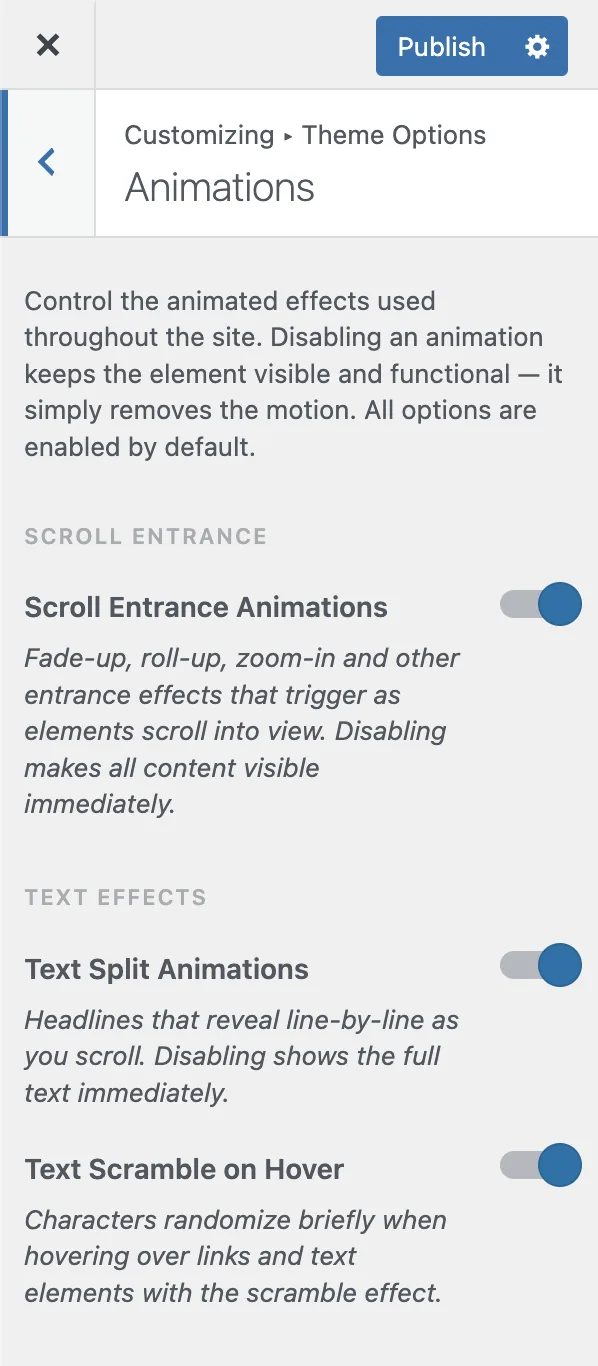
To remove the most visible motion across your site, turn off Scroll Entrance animations:
Go to Appearance > Customize > Animations
Toggle off Scroll Entrance
Publish changes
This single toggle disables all scroll-triggered entry animations (fade, slide, scale effects) site-wide.
#Individual Animation Controls
Each animation type has its own toggle in Appearance > Customize > Animations:
Animation | Setting | Default | What It Controls |
|---|---|---|---|
Scroll Entrance | Scroll Entrance | On | Elements animate as they scroll into view |
Text Split | Text Split | On | Character-by-character heading reveals |
Text Scramble | Text Scramble | On | Random characters before text reveal |
Button Type-in | Button Type In | On | Button text types in on load |
Button Scramble | Button Scramble | On | Button text scrambles on hover |
Button Icon Ticker | Button Icon Ticker | On | Button icon cycles on hover |
Parallax | Parallax | On | Depth effect on scroll |
Tilt | Tilt | On | 3D tilt on hover |
Custom Cursor | Custom Cursor | On | Custom mouse follower (desktop) |
Hover Underline | Hover Underline | On | Animated link underlines |
#Other Motion Features
These are controlled in separate Customizer sections:
Smooth Scroll - Appearance > Customize > Smooth Scroll > toggle off the Smooth Scroll toggle
Page Transitions - Appearance > Customize > Page Transitions > toggle off the Page Transitions toggle
Preloader - Appearance > Customize > Preloader > toggle off the Preloader toggle
Grain Overlay - Appearance > Customize > Grain Overlay > toggle off the Grain Overlay toggle
#Accessibility Note
The grain overlay respects the prefers-reduced-motion: reduce operating system setting. When a user enables reduced motion in their OS preferences, the grain animation is automatically disabled.
Tip: You can test any setting temporarily using URL parameters. Add `?anim_scroll_entrance=false` to any page URL to disable scroll animations without changing Customizer settings.
Last updated
Was this article helpful?

On this page
